Linux Fundamentals Mastery: Complete Linux CLI & GUI Training for Beginners

- Description
- Curriculum
- Reviews
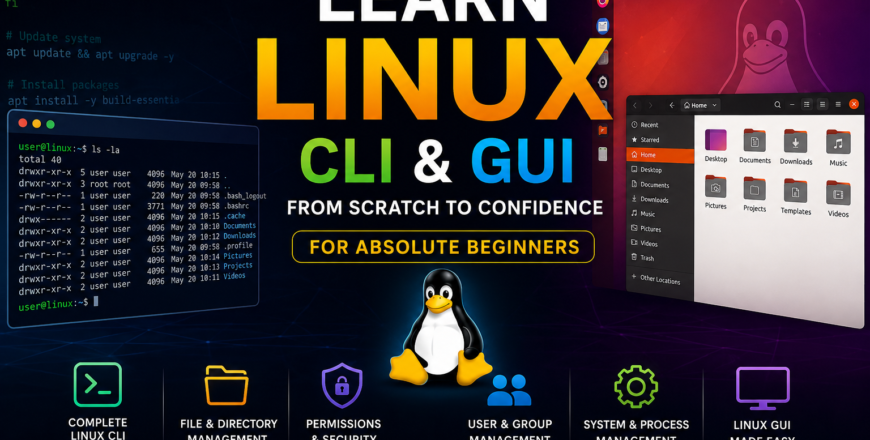
Master Linux from the ground up with this comprehensive Linux Fundamentals Mastery course designed specifically for absolute beginners. Whether you have never used Linux before or want to build a strong foundation for cybersecurity, system administration, cloud computing, DevOps, or ethical hacking, this course provides everything you need to get started.
The course begins with Linux fundamentals, including its history, architecture, kernel, distributions, and installation methods. You will learn how to install and configure Ubuntu, Kali Linux, Virtual Machines, and Windows Subsystem for Linux (WSL).
From there, you will dive deep into both Linux Graphical User Interface (GUI) and Command Line Interface (CLI). You will learn how to navigate the Linux file system, manage files and directories, create and edit text files, manage users and groups, configure permissions, understand SUID, SGID, and Sticky Bit permissions, manage processes, monitor system resources, and perform essential administrative tasks.
The course combines theory, demonstrations, hands-on labs, and real-world exercises to ensure you gain practical experience. By the end of the course, you will be comfortable working in Linux environments and ready to pursue advanced topics such as cybersecurity, penetration testing, cloud security, DevOps, and Linux administration.
No prior Linux experience is required. This course is designed to transform complete beginners into confident Linux users.
-
1
 Lesson 1.1 - Course Introduction and Learning Roadmap
 -
2
Lesson 1.2 - What is Linux?
-
3
Lesson 1.3 - History of Linux and GNU Project
-
4
Lesson 1.4 - Linux vs Windows vs macOS
-
5
Lesson 1.5 - Understanding Open Source Software
-
6
Lesson 1.6 - Linux Ecosystem Overview
-
7
Lesson 1.7 - Linux Use Cases in Real World
-
8
Lesson 1.8 - Linux Career Opportunities
-
9
Lesson 1.9 - Linux Architecture Overview
-
10
Lesson 2.1 - Linux Kernel Explained
-
11
Lesson 2.2 - User Space vs Kernel Space
-
12
Lesson 2.3 - Linux File System Hierarchy
-
13
Lesson 2.4 - Shell and Terminal Fundamentals
-
14
Lesson 2.5 - Linux Processes and Services
-
15
Lesson 2.6 - Understanding Boot Process
-
16
Lesson 2.7 - Linux Distributions Explained
-
17
Lesson 2.8 - Package Managers Overview
-
18
Lesson 2.9 - Linux Desktop Environments
-
19
Lesson 3.1 - Introduction to Linux Distributions
-
20
Lesson 3.2 - Ubuntu Linux Overview
-
21
Lesson 3.3 - Kali Linux Overview
-
22
Lesson 3.4 - Debian Linux Overview
-
23
Lesson 3.5 - CentOS and Rocky Linux
-
24
Lesson 3.6 - Red Hat Enterprise Linux
-
25
Lesson 3.7 - Linux Mint for Beginners
-
26
Lesson 3.8 - Choosing the Right Distribution
-
27
Lesson 3.9 - Distribution Comparison Lab
-
28
Lesson 4.1 - Virtualization Concepts
-
29
Lesson 4.2 - Installing VirtualBox
-
30
Lesson 4.3 - Installing VMware Workstation
-
31
Lesson 4.4 - Downloading Linux ISO Files
-
32
Lesson 4.5 - Ubuntu Installation Lab
-
33
Lesson 4.6 - Kali Linux Installation Lab
-
34
Lesson 4.7 - Configuring Virtual Machine Settings
-
35
Lesson 4.8 - Snapshot and Clone Management
-
36
Lesson 4.9 - Installing WSL on Windows
-
37
Lesson 4.10 - Installing Ubuntu on WSL
-
38
Lesson 4.11 - Installing Kali Linux on WSL
-
39
Lesson 4.12 - Troubleshooting Installation Issues
-
40
Lesson 5.1 - Understanding Linux Desktop Environment
-
41
Lesson 5.2 - GNOME Interface Overview
-
42
Lesson 5.3 - KDE Plasma Overview
-
43
Lesson 5.4 - Linux File Manager Basics
-
44
Lesson 5.5 - Managing Files Through GUI
-
45
Lesson 5.6 - Software Installation Using GUI
-
46
Lesson 5.7 - Network Settings Using GUI
-
47
Lesson 5.8 - User Management Using GUI
-
48
Lesson 5.9 - System Settings and Personalization
-
49
Lesson 5.10 - GUI Troubleshooting Basics
-
50
Lesson 6.1 - What is CLI?
-
51
Lesson 6.2 - Understanding Terminal Emulator
-
52
Lesson 6.3 - Opening and Using Terminal
-
53
Lesson 6.4 - Linux Command Syntax
-
54
Lesson 6.5 - Commands, Arguments and Options
-
55
Lesson 6.6 - Getting Help in Linux
-
56
Lesson 6.7 - man Command
-
57
Lesson 6.8 - info Command
-
58
Lesson 6.9 - --help Option
-
59
Lesson 6.10 - Command History
-
60
Lesson 6.11 - Tab Completion
-
61
Lesson 7.1 - Understanding Linux File Structure
-
62
Lesson 7.2 - pwd Command
-
63
Lesson 7.3 - ls Command
-
64
Lesson 7.4 - cd Command
-
65
Lesson 7.5 - Absolute and Relative Paths
-
66
Lesson 7.6 - mkdir Command
-
67
Lesson 7.7 - rmdir Command
-
68
Lesson 7.8 - tree Command
-
69
Lesson 7.9 - Hidden Files and Directories
-
70
Lesson 7.10 - File System Navigation Lab
-
80
Lesson 9.1 - Understanding Text Files in Linux
-
81
Lesson 9.2 - cat Command
-
82
Lesson 9.3 - tac Command
-
83
Lesson 9.4 - more Command
-
84
Lesson 9.5 - less Command
-
85
Lesson 9.6 - head Command
-
86
Lesson 9.7 - tail Command
-
87
Lesson 9.8 - nano Editor
-
88
Lesson 9.9 - vim Editor Basics
-
89
Lesson 9.10 - gedit GUI Text Editor
-
90
Lesson 9.11 - Creating Configuration Files
| Item | Details |
|---|---|
| Course Name | Linux Fundamentals Mastery: Complete Linux CLI & GUI Training |
| Skill Level | Beginner to Intermediate |
| Category | Linux Administration |
| Language | English |
| Subtitle Language | English |
| Training Mode | Self-Paced Video Learning |
| Practical Labs | Included |
| Quizzes | Included |
| Projects | Included |
| Certificate | Yes |
| Lifetime Updates | Yes |
| Downloadable Resources | Yes |
- No prior Linux knowledge required
- Basic computer operating skills
- Windows, macOS, or Linux computer
- Minimum 4 GB RAM (8 GB recommended for Virtual Machines)
- Internet connection for downloading Linux distributions
- Willingness to practice hands-on exercises
- VirtualBox or VMware Workstation (free options covered in course)
This course is ideal for:
- Absolute beginners with no Linux experience
- Students pursuing careers in IT
- Cybersecurity enthusiasts and aspiring ethical hackers
- System Administrators and Network Administrators
- Cloud Computing learners
- DevOps beginners
- Software Developers working with Linux servers
- SOC Analysts and Security Analysts
- Penetration Testing students
- Anyone who wants to become comfortable using Linux professionally